

For many Tesla Model Y owners, the "waiting room" period—that excruciating gap between placing an order and taking delivery—is often spent spiraling down a rabbit hole of aftermarket accessories. At the top of almost every "Must-Buy" list is the ubiquitous Screen Protector.
On the surface, it seems like a hard sell. We buy phone screen protectors because we drop our phones on concrete; a Tesla screen is bolted to the dashboard. It’s not going to slip out of your pocket at a gas station. So, why are owners dropping $20 to $100 on a piece of glass for a stationary object?
By synthesizing real-world owner feedback and technical analysis, we can break down the value proposition through the lenses of glare, hygiene, "freak accidents," and official Tesla policy.
1. The Anti-Glare Argument: Function Over Fashion
This is the most practical reason for adding a protector. Unlike traditional vehicles where the instrument cluster is recessed under a dashboard "brow," Tesla’s 15-inch centerpiece is fully exposed to the elements.
The Mirror Effect
The OEM (Original Equipment Manufacturer) screen is high-gloss. While it offers stunning color reproduction, it is effectively a mirror when the sun hits it at a specific angle.
The Hazard: Drivers in sun-drenched regions often report being momentarily blinded by reflections or finding it impossible to see navigation maps during mid-day drives.
The Matte Magic: This is where the Matte Protector shines. By diffusing incoming light, it eliminates harsh reflections. Most owners who switch to matte describe it as a "night and day" difference for daytime visibility.
The Clarity Trade-off
It’s not all perfection, though. Matte protectors work by scattering light, which can introduce a slight "haziness" or "grain" to the image. For the "pixel purists" who want to enjoy Netflix or YouTube in crisp 4K during a Supercharging session, this slight drop in resolution might be a dealbreaker.
2. Hygiene and Aesthetics: The Fingerprint Battle
The Tesla screen is the gateway to everything: shifting gears (on newer models), adjusting the AC, and even opening the glovebox. It is touched hundreds of times a day.
A Sanctuary for the Neat-Freak
The factory glass is a magnet for skin oils. Left unmanaged, these smudges create a greasy film that becomes glaringly obvious in the light.
Maintenance: With a matte protector, fingerprints are virtually invisible. Even when oils do build up, they are significantly easier to wipe away compared to the "sticky" feel of the naked OEM glass.
The "Tactile" Experience: High-quality protectors often provide a smoother, "satin" touch. This reduces the friction of your fingertip, making swiping through the UI feel more premium and fluid.
3. Physical Protection: Planning for the "Freak Accident"
Returning to the original question: if it doesn't fall, why protect it? Real-world usage has revealed several "worst-case" scenarios that prove the screen is more vulnerable than it looks.
The "Flying Object" Factor
The screen is stationary, but the occupants and their gear are not.
Jewelry Scratches: A common report involves drivers or passengers reaching for the phone tray and accidentally slamming an engagement ring or a metal watch against the screen, leaving permanent gouges in the factory glass.
The Hydroflask Missile: Oversized stainless steel water bottles are screen killers. During a panic brake or a sharp turn, a bottle can slip from a hand or cup holder and act as a wrecking ball to the screen's edge.
Cleaning Mishaps: Detailing the interior carries its own risks. Owners have recounted accidentally hitting the screen with a heavy vacuum nozzle or a spray bottle. A $20 protector takes the hit, saving a $1,500 display.
Kids and Pets (The Chaos Factors)
If you have "tiny humans" or dogs in the car, protection is essentially mandatory. A stray toy thrown from the back seat or a dog pawing at the screen to look out the window can cause irreversible damage in seconds.
4. Cost and warranty are separate questions
Touchscreen repair costs vary by model, region, parts availability, and the work Tesla determines is necessary. Obtain a current service estimate for your vehicle instead of relying on a fixed replacement-price claim.
A screen protector is not an insurance policy and cannot guarantee that the factory display will survive an impact. Its practical value is usually limited to surface wear, fingerprint management, and—depending on the finish—changes in glare and image clarity.
5. Tesla’s official position
Tesla’s current U.S. owner manuals for Model 3 and Model Y advise owners not to apply a screen protector. The manuals identify possible unintended inputs, delayed or unresponsive touch behavior, electrostatic-discharge damage, and lack of warranty coverage for damage caused by installation.
That warning is material to the purchase decision. An aftermarket seller should not describe a protector as Tesla-approved or imply that correct installation eliminates the risk.
6. A balanced decision checklist
- Confirm the exact model year, trim, and screen size using the Tesla screen size and fitment guide.
- Read the touchscreen section of the owner’s manual for your exact vehicle and software context.
- Decide whether reduced fingerprints or glare is worth possible changes in clarity, touch behavior, and warranty risk.
- If you proceed, choose the correct fitment from the Tesla screen protector collection and follow the product-specific installation instructions.
- Remove the protector and contact Tesla service if the touchscreen develops unintended inputs, delayed response, or unusual behavior.
Bottom line: some owners value the surface and glare-related trade-offs, while others will reasonably follow Tesla’s advice and leave the factory touchscreen uncovered. The correct choice depends on the vehicle, the owner’s priorities, and acceptance of the official warning.
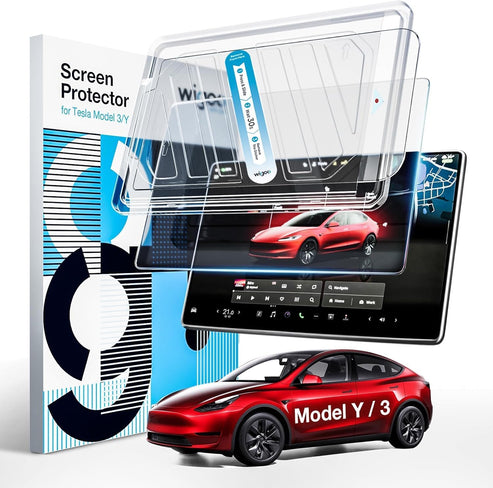
Ultimately, a screen protector is an accessory you don't actually need—until the exact second you do. For most Model Y owners, that small investment is worth the ability to drive without worrying about the $1,500 bill sitting in the middle of the dashboard.